

An auditor conducting a process audit on the shop floor may find a non-conformance, take a photograph, record a remark, and need to submit the finding before moving to the next process.
When this information is captured on paper or across separate files, the work does not end when the audit is completed. Someone still has to consolidate observations, attach evidence, prepare the report, obtain auditee confirmation, and complete the approval process.
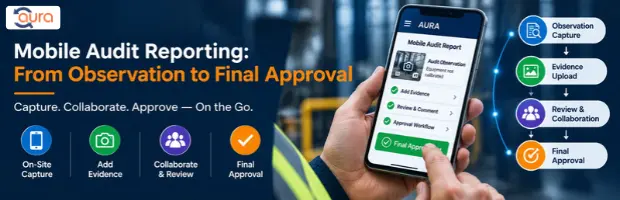
Mobile audit reporting brings these activities into a connected workflow. The auditor can work through the planned audit, record observations, attach relevant evidence, submit the report, and move it through auditee review and final approval.
For manufacturing and multi-site quality teams, the value is not simply having a checklist on a phone. It is maintaining a traceable path from the original observation to the approved audit report.
What Is Mobile Audit Reporting?
Mobile audit reporting is the process of conducting audit activities, recording observations, attaching supporting evidence, and submitting audit information through a mobile application.
A typical workflow includes:
- The audit is planned and scheduled.
- The auditor opens the planned audit on the mobile application.
- Checklist sections are reviewed by process.
- Checkpoint status or observation type is recorded.
- Remarks are added where required.
- Photographs or documents are attached as evidence.
- The audit can be saved as a draft or submitted.
- The auditee reviews the submitted report.
- The auditee accepts or rejects the report.
- The required digital signature is captured.
- The report moves to final auditor approval.
- The approved report can be previewed or exported as a PDF.
The exact workflow and available actions depend on the system configuration.
Common Challenges With On-Site Audit Reporting
Observations Are Captured in Different Places
During an on-site audit, auditors may need to record several observations across departments or processes.
When observations are written on paper and evidence is stored separately, consolidating the information later can create additional work.
A mobile audit application allows the auditor to record observations while working through the checklist.
Evidence Gets Separated From the Finding
A photograph or supporting document is often important when documenting an audit observation.
If evidence is stored separately from the audit record, reviewing the finding later can require searching through email attachments, folders, or other files.
Attaching relevant evidence to the audit workflow keeps the supporting information connected to the observation.
Audit Reports Require Multiple People
The auditor is not always the only person involved after the audit is conducted.
The auditee may need to review the submitted report, accept or reject the findings, and provide a signature where required. The report may then require final auditor approval.
A defined workflow makes these responsibilities easier to follow.
Why Traditional Audit Reporting Can Be Difficult
Paper checklists and disconnected spreadsheets can work for small audits. The difficulty increases when organizations conduct frequent process audits across multiple departments or locations.
| Manual Approach | Mobile Audit Workflow |
|---|---|
| Paper checklist | Digital checklist |
| Handwritten observations | Mobile observation entry |
| Separate evidence files | Evidence attached to the audit |
| Manual report consolidation | Digital audit report |
| Physical or email-based confirmation | Auditee review workflow |
| Separate approval follow-up | Defined approval stage |
The main issue is not that paper or spreadsheets cannot contain audit information. The issue is the additional work required to move information from the point of observation to the final report.
For a quality manager, this can also make it harder to maintain consistent visibility across ongoing audits.
How a Mobile Audit Workflow Works
1. Start With a Planned Audit
The mobile workflow begins after the audit has been planned and scheduled.
The auditor logs into the mobile application and opens the relevant planned audit.
This establishes the audit context before observations are recorded.
2. Navigate the Audit Checklist
The checklist is organized into grouped process-audit sections.
The auditor can work through the relevant checkpoints and record the applicable status or observation type.
Depending on the audit requirement, options can include classifications such as:
- Major NC
- Working
- Not Working
The purpose is to capture the result at the point where the auditor performs the check.
3. Record Remarks and Evidence
When an observation needs additional explanation, the auditor can enter remarks.
Relevant photographs or documents can also be attached as evidence.
This creates a more complete audit record because the observation and its supporting material are captured within the same workflow.
4. Save or Submit the Audit
The auditor can save the work as a draft or submit the audit report.
The draft capability is useful when an audit is being completed across multiple checklist sections and the auditor is not ready to submit the report.
Submission moves the report into the next stage of the workflow.
Auditee Review and Approval
Mobile audit reporting does not end when the auditor submits the report.
The auditee can open the submitted audit report and review the findings.
The auditee can then select:
- Accept
- Reject
Where required, the acceptance process includes drawn digital signature capture.
After auditee acceptance, the report proceeds to final auditor approval.
This creates a clear distinction between the responsibilities of the auditor and the auditee.
Auditor
The auditor conducts the audit, records observations, adds relevant evidence, and submits the report for review.
Auditee
The auditee reviews the submitted report and provides the required acceptance or rejection response and signature.
Final Auditor Approval
The audit proceeds to final approval after the required auditee review.
From Audit Observation to Final PDF
One practical advantage of a digital audit workflow is that the audit record can continue through reporting rather than ending with checklist completion.
The workflow provides visibility from:
Audit Plan → Mobile Checklist → Observation → Evidence → Submission → Auditee Review → Acceptance → Signature → Auditor Approval → Report
A report preview and PDF export control are also available in the supplied workflow.
For quality teams, this provides a clearer path from what the auditor observed on-site to the final documented audit report.
Best Practices for Mobile Audit Reporting
Standardize Your Checklists
Use clearly structured process-audit checklists so auditors know what needs to be reviewed at each stage.
Record Observations at the Point of Audit
Avoid relying on memory to reconstruct findings later. Capture relevant remarks while the audit activity is taking place.
Attach Relevant Evidence
Where evidence is required, attach the relevant photograph or document to the audit record rather than managing it separately.
Keep Auditor and Auditee Responsibilities Clear
The auditor records and submits the audit. The auditee reviews and responds. Final approval follows the defined workflow.
Use Drafts Before Submission
If an audit is still in progress, save the work as a draft rather than submitting an incomplete report.
Final Takeaway
Mobile audit reporting is most useful when it connects the activities that happen during and after an on-site audit.
The auditor can work through the planned checklist, record observations, attach evidence, save or submit the report, and hand it over to the auditee for review. After acceptance and required signature capture, the report can proceed to final auditor approval.
For organizations managing process audits across manufacturing operations, departments, or multiple locations, the important consideration is not simply whether an audit checklist works on mobile. It is whether the complete path from observation to approved report remains organized and traceable.

